Built for Clover POS · Hecho para Puerto Rico

Cobra con ATH Móvil, right on your Clover.

ATH Móvil Tender puts Puerto Rico’s favorite way to pay inside Clover Register — send a payment request to the customer’s phone or let them scan your ATH Business QR. Payments and refunds are recorded on the order like any other tender.

Español · EnglishPush-to-phone + QR$1 – $1,500 per charge
ATH Móvil Tender charging $48.91 on a Clover Mini — Paga con ATH Móvil brand panel and phone keypad
What it does

The tender your customers keep asking for.

“¿Aceptan ATH Móvil?” — now the answer is yes, without a personal phone behind the counter or reconciling a separate app at closing time.

The core

A real tender inside Clover Register

ATH Móvil shows up next to Cash and Card on the payment screen. The charge is captured through Evertec's official Payment Button API and recorded on the Clover order with its ATH reference number — receipts, the Transactions app, and your sales reports all see it like any other payment.

Push to the customer's phone

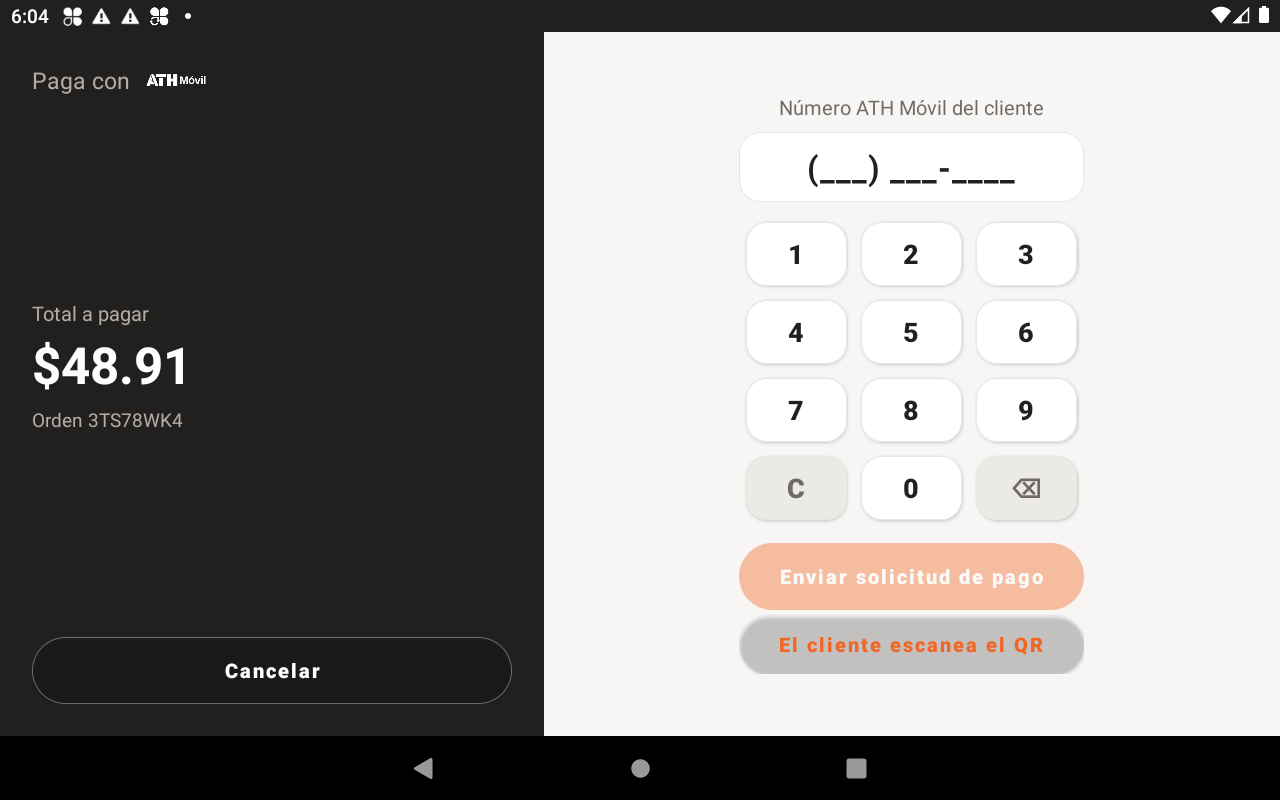
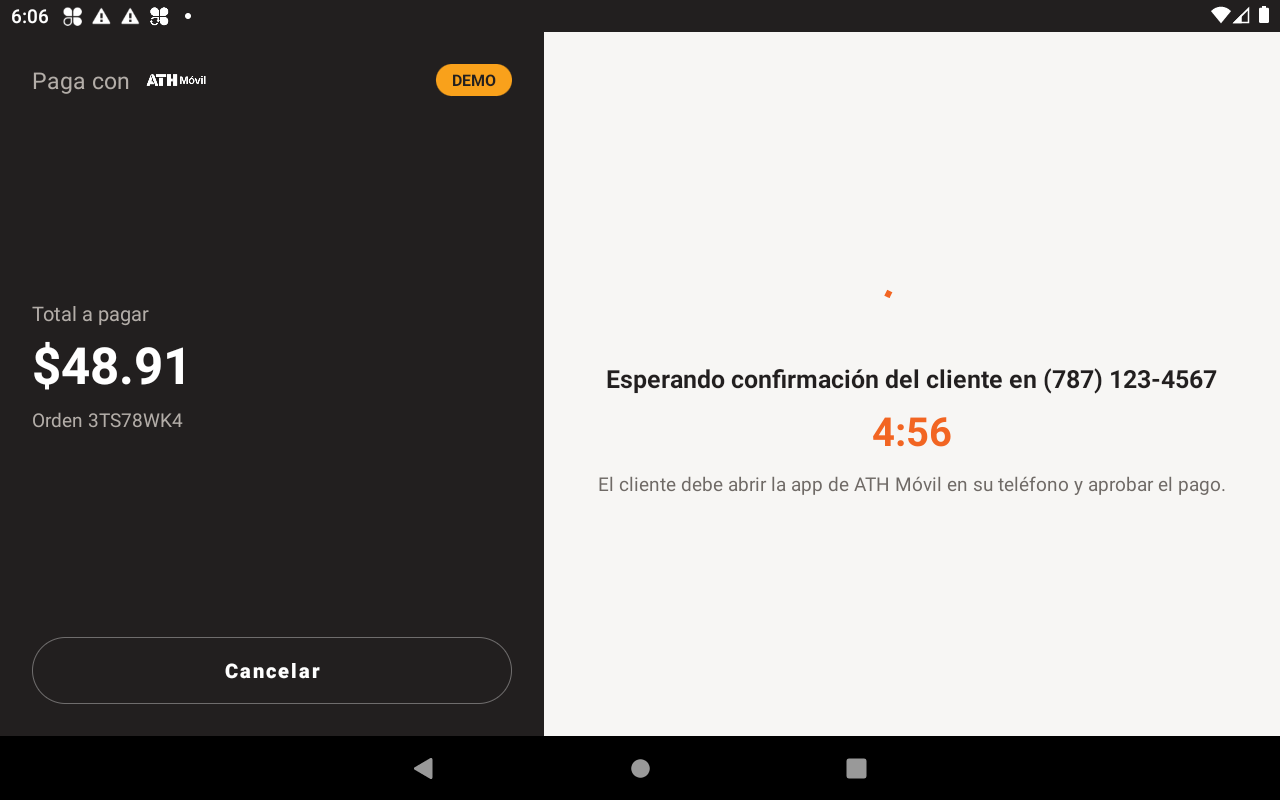
Enter the customer's ATH Móvil number on a big keypad. They get the payment request in their own ATH Móvil app, approve it, and the tender captures automatically — with a live countdown at the register.

QR scan-to-pay

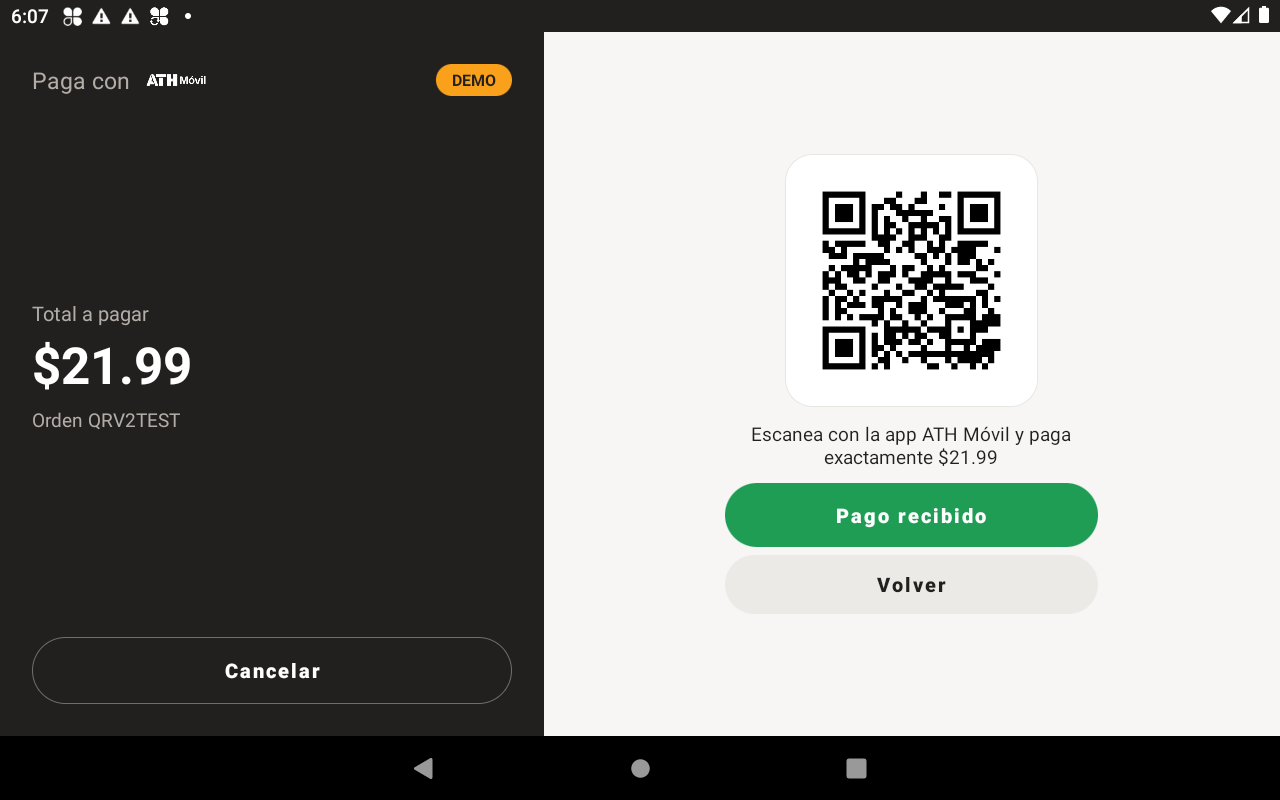
Prefer the counter-sticker flow? Show your own ATH Business QR on screen. The customer scans, pays the exact amount, and the cashier confirms when the deposit lands in ATH Business.

Refunds where they belong

Refund an ATH Móvil payment from Clover's Transactions app. The app remembers the original ATH reference for each order and files the refund through the same API.

Regulars pay in one tap

If a Clover customer with a phone number is attached to the order, their ATH Móvil number is pre-filled — the cashier just hits send.

Español primero

The whole app speaks Spanish out of the box — with an English toggle for merchants who prefer it. Plus a built-in demo mode so you can train staff without charging anyone a cent.
The flow

Four taps. One confirmed payment.

Pick ATH Móvil

At payment time, tap the ATH Móvil tender in Register or Sale — same spot as Cash and Card.

Phone or QR

Type the customer's ATH Móvil number on the keypad, or show your ATH Business QR for them to scan.

Customer approves

The request lands in their own ATH Móvil app. They confirm; the register shows live status the whole time.

Recorded on the order

The payment is captured and saved on the Clover order with its ATH reference — receipts and reports included.

On the counter

Designed with the official ATH Móvil brand kit.

Charcoal “Paga con ATH Móvil” brand panel, the real logo, and a keypad your cashiers already know how to use.

Charge by phone number — big keypad, live total
Live status while the customer confirms on their phone
QR scan-to-pay with cashier confirmation
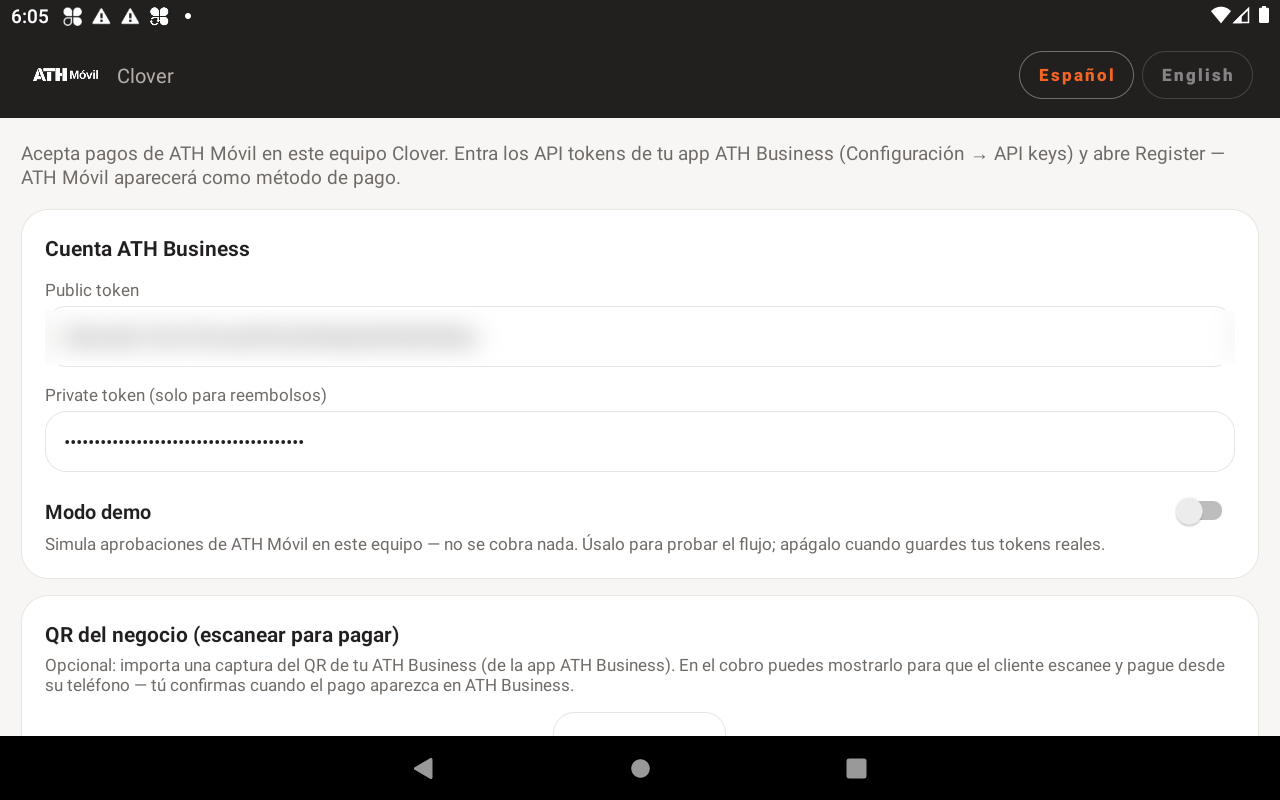
Two-minute setup with your ATH Business tokens
Security by architecture

One endpoint. Zero middlemen.

The app talks over HTTPS to exactly one place: Evertec’s official ATH Móvil Payment Button API. Your ATH Business tokens are stored only on your Clover device, and funds settle directly to your ATH Business account.

  • Direct integration with Evertec’s Payment Button API — no third-party gateway in between
  • API tokens live in on-device storage, never on our servers (we don’t have any)
  • No card data ever touches the app — ATH Móvil moves funds bank-to-bank
  • No analytics SDKs, no crash reporters, no tracking identifiers
1
API endpoint (Evertec)
0
Analytics & trackers
0
Card numbers handled
100%
Funds to your ATH Business
Hardware

At home on every modern Clover.

Split-panel layout on landscape Stations and Mini, stacked layout on Flex — plus a fullscreen customer-facing screen on Station Duo.

Station Duo

Landscape + customer screen

Station Solo

Landscape

Clover Mini

Landscape

Clover Flex

Portrait
🇵🇷 Español (default)🇺🇸 EnglishRequires an ATH Business account (Evertec)

¿Aceptan ATH Móvil? Sí.

Find ATH Móvil Tender on the Clover App Market, or write to yalexis@b2bpr.ai and we’ll help you get set up.

Open the Clover App Market →